
Digital SAT practice that keeps working when the connection does not. Every question is generated on your own device.
Tap a screenshot to view it full size.
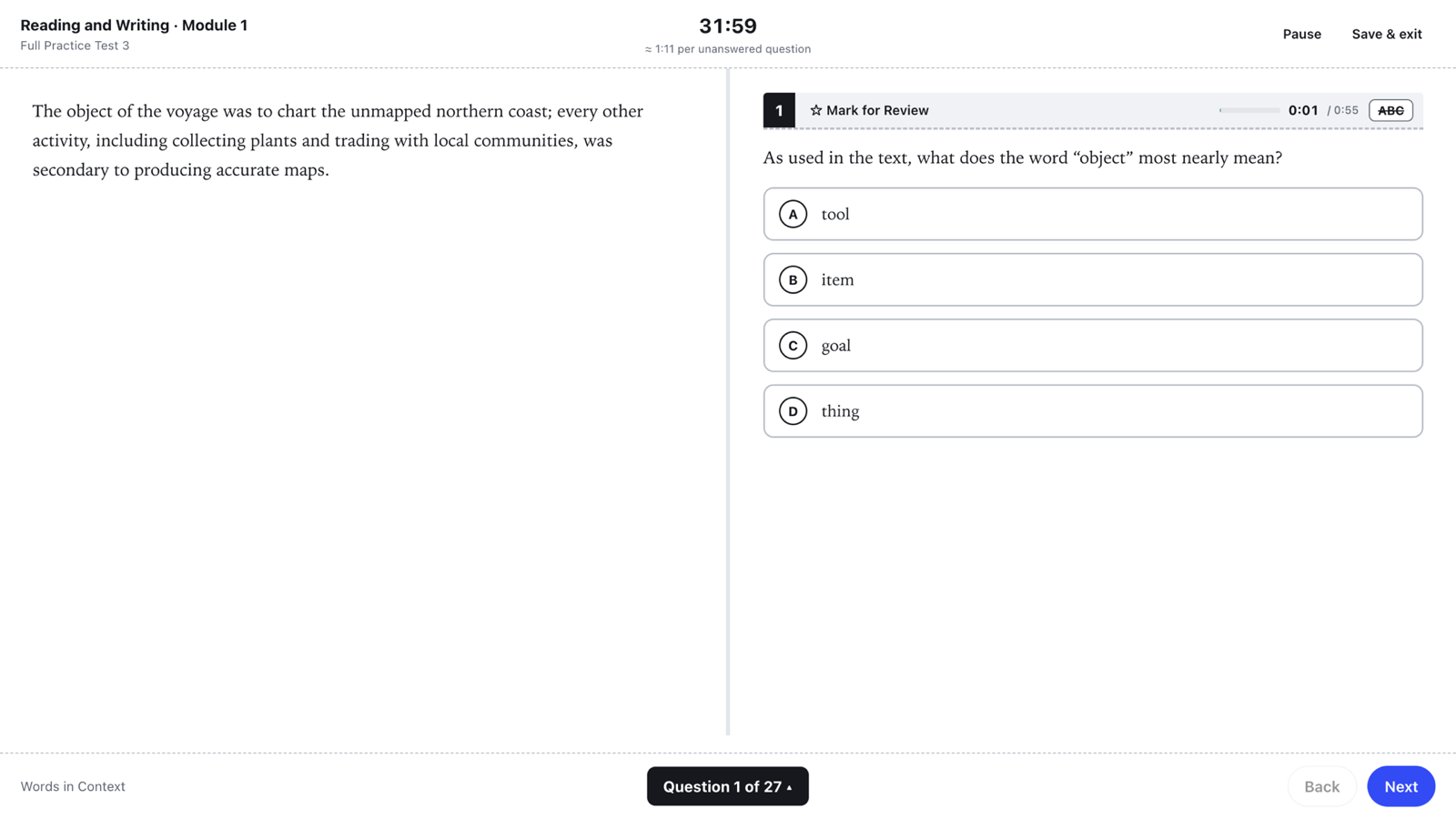
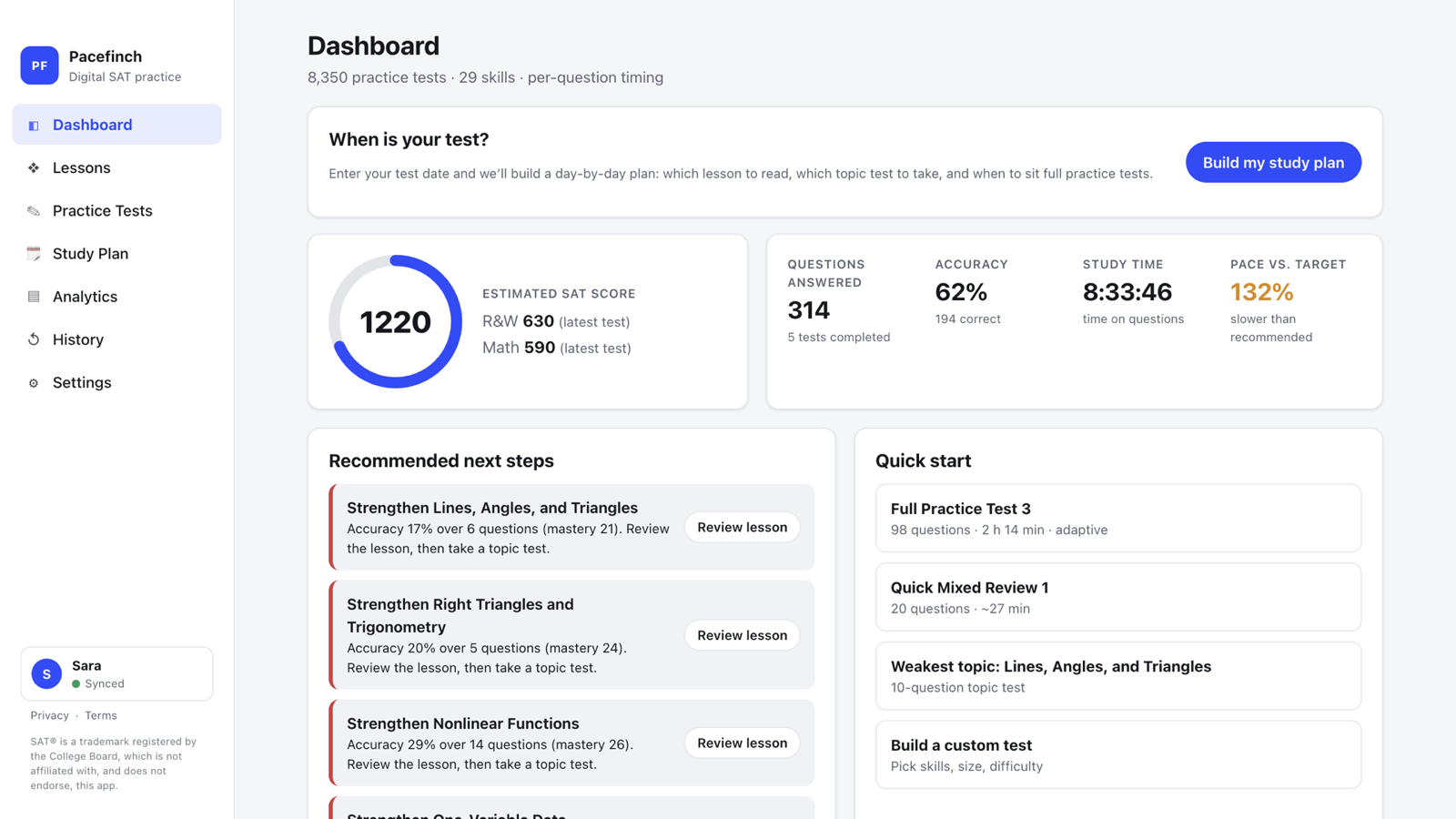
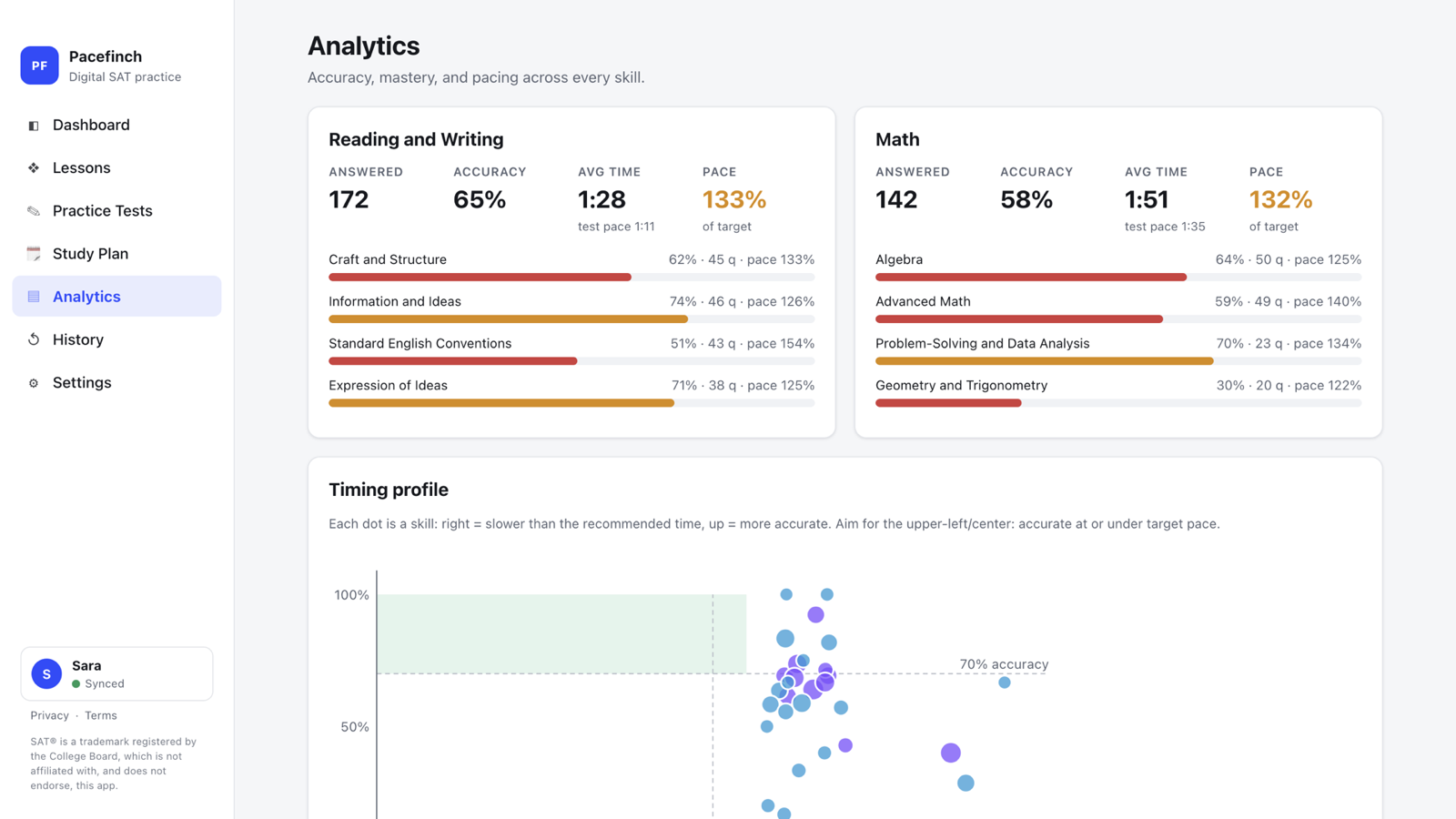
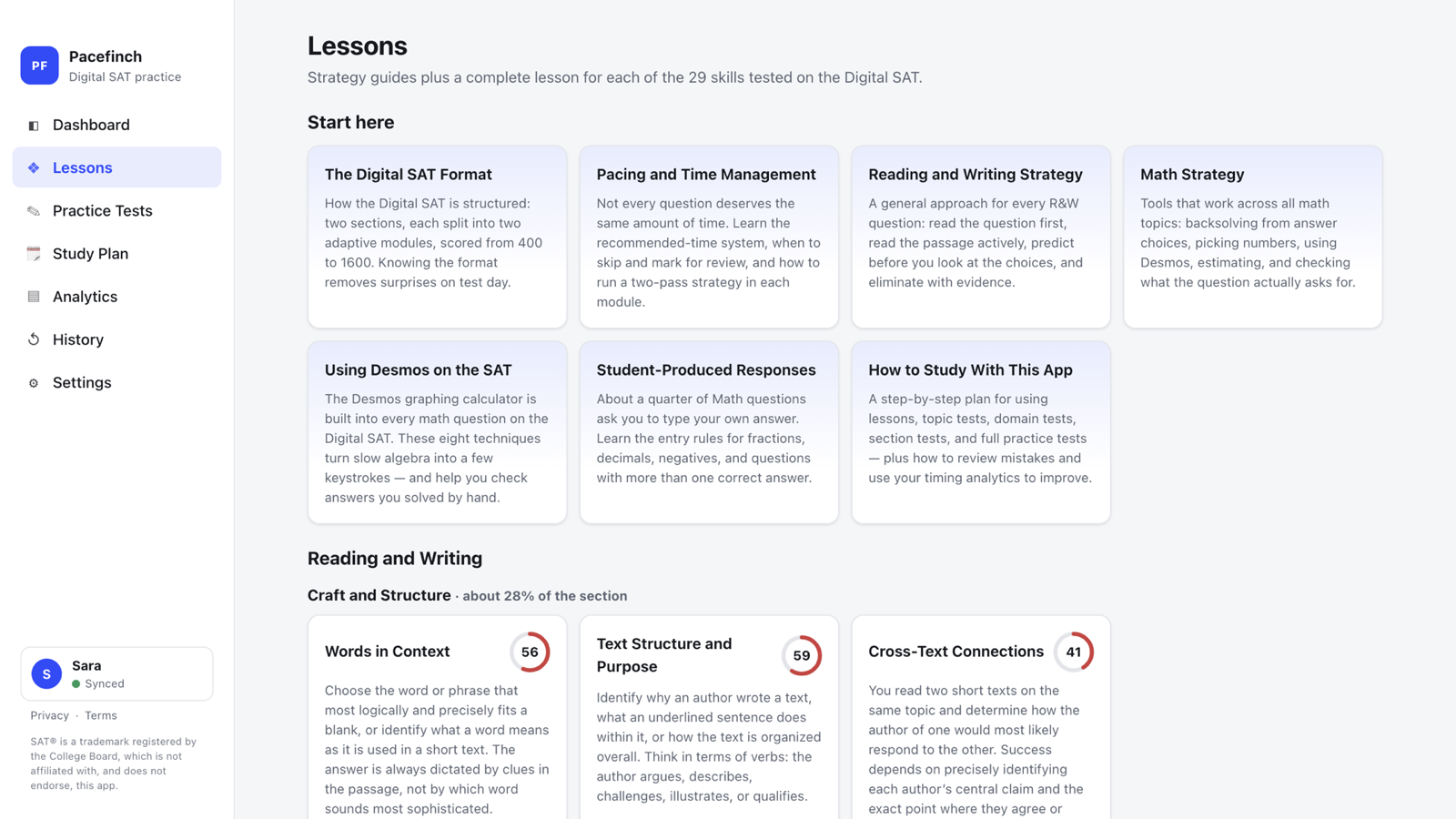
Pacefinch teaches and drills the Digital SAT. There is a full lesson for each of the 29 skills the exam tests, 8,350 numbered practice tests, and a test runner built to feel like the real thing — split passage and question, a module countdown, mark for review, an answer eliminator and a graphing calculator written for this app.
Because the questions are generated on the device rather than downloaded, a practice test starts and finishes with no connection at all. Every test is numbered and reproducible: test 412 is always the same test, so a retake is a fair comparison, and no question repeats inside one sitting.
Progress is saved in the browser. With an optional account it syncs across devices — including a test you are in the middle of.
All 29 Digital SAT skills get a full lesson — concepts, worked examples, strategies, the traps that catch people, a target time per question and a "try one now" generator. Plus seven strategy guides on format, pacing, Reading & Writing, Math, Desmos, grid-ins and study planning.
500 full-length adaptive tests with estimated 400–1600 scores, 500 each for Reading & Writing and Math, 250 per domain, 150 per skill running easy to hard, 500 quick mixed reviews, and a custom builder for your own.
Every question carries a recommended time for its skill and difficulty. The app times you against it, nudges when you run long, and turns the record into a pacing chart, time-sink detection and per-skill pace.
Enter your exam date, the days you can study and how long for, and the app lays out a day-by-day schedule: diagnostic first, then each skill as lesson, topic test and domain test, with full tests spaced through the run-up and a rest day at the end.
Mastery by skill and domain, accuracy by difficulty, a timing profile, a score trend — and a ranked list of what to do about them, rather than a wall of numbers.
Built into the test runner: graphs and tracing, intersections, zeros and vertices, sliders, lists, tables with best fit, regressions with residual plots, statistics — and a button that opens College Board's own Desmos when you would rather use that.
Select text in a passage or a question stem to highlight it, with an optional note. Highlights are stored as text offsets, so they survive navigating away, saving and exiting, and syncing to another device.
No account needed — progress lives in the browser. Sign in and it follows you between devices, up to five at a time, including a test still in progress.
Nobody outside College Board has real SAT questions. What this app can show instead is a published report measuring its tests against the official blueprint — domain mix, grid-in share, difficulty spread and pacing.
No install, no account — open it and start. Bring the app home to Windows or your Mac when you want it offline.
 STZ developer